
The signed-in parcel shipment list is the main place to review an outbound parcel. The portal does not use a separate public tracking page for parcels.
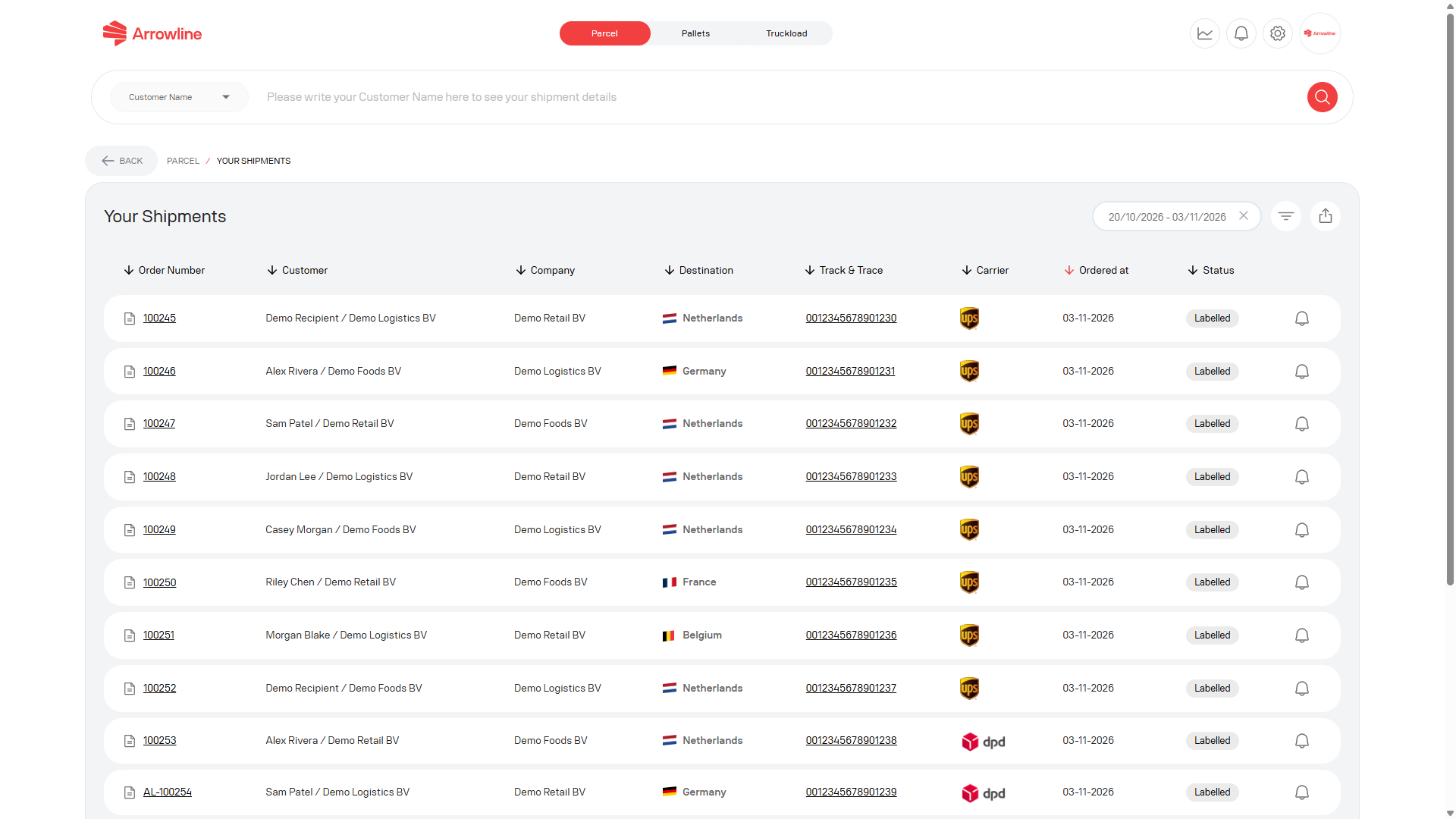
What to check
From the list, confirm:
- Order number
- Customer and destination
- Track-and-trace value
- Carrier
- Ordered date
- Latest status
Open the shipment from the list when you need to inspect the selected record. Use only the information the portal shows. Do not assume sender, receiver or proof-of-delivery details if they are not on the screen.
Related parcel records
| If you need | Open |
|---|---|
| A return | Parcel returns |
| The latest grouped status | Parcel statuses |
| A delay or exception | Delivery exceptions |
| A formal incident | Parcel claims |
| An investigation | Parcel tickets |