
The portal groups raw carrier events into operational categories on the Parcel dashboard and shipment list. The categories you can expect are:
- In transit
- Exceptions
- Delivered
The label on a row is this grouped status, not every underlying scan name.
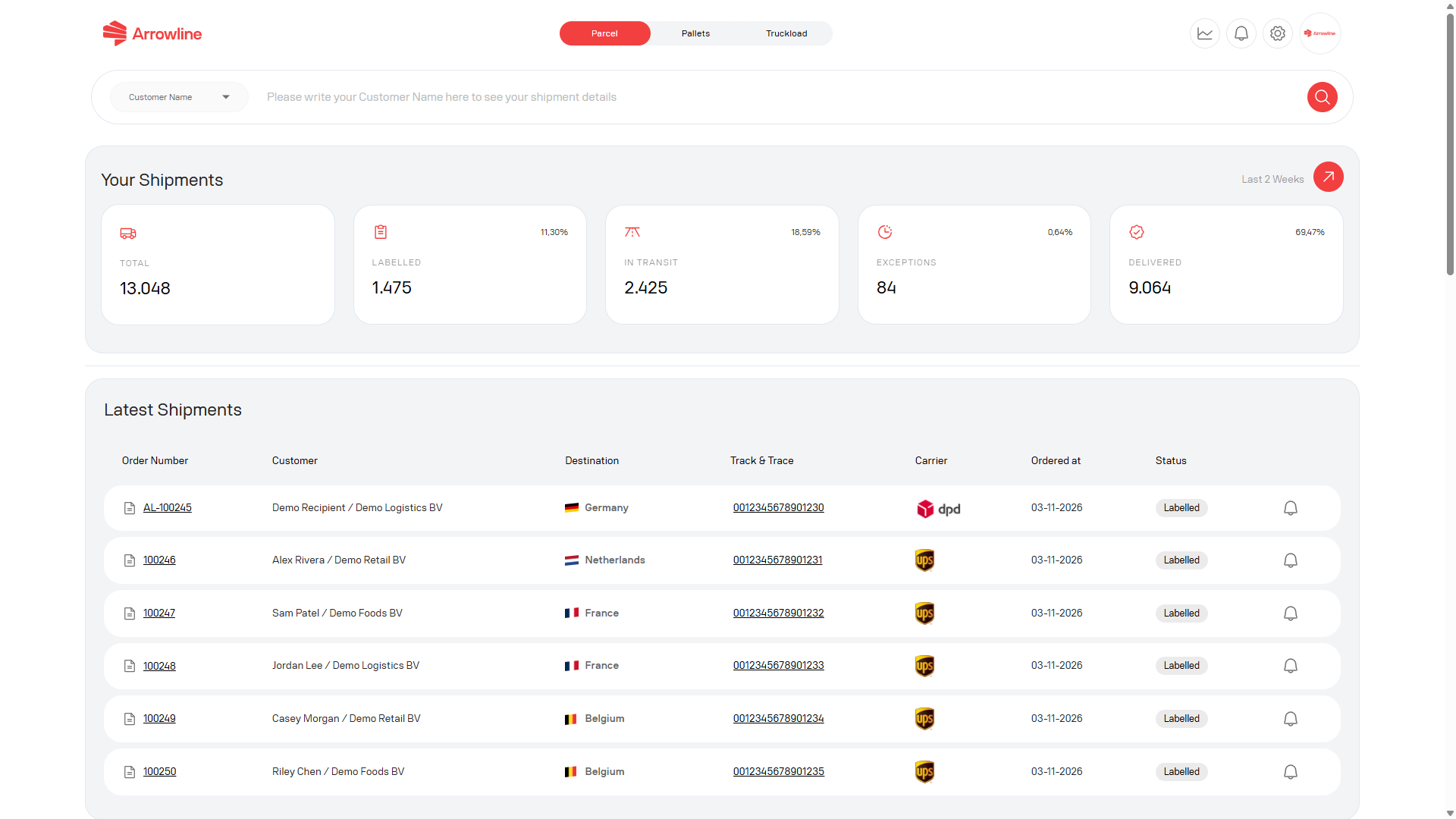
How to read a status
- Check the timestamp of the latest event
- Check the destination and carrier on the same row
- See whether the status is in the exceptions group
- Look again later if a newer event may still arrive
Times come from the event the portal received. They can differ from the time on your clock.
Statuses are not support cases
A parcel can show Delivered while a claim is still open. A parcel can show In transit while a ticket is being handled.
| Status group | Typical next step |
|---|---|
| In transit | Wait for the next update, or open a ticket if the parcel is overdue |
| Exceptions | Follow Delivery exceptions |
| Delivered | Close the task, or open a claim if there is damage, shortage or loss |
If the grouped status looks wrong, keep the order number and track-and-trace value and follow A shipment status is not updated.